True innovation for the Quest 3. I'm addicted to Golf+ and also Walkabout Golf, so the sale price for this app was tempting. I had low expectations, imagining that there would just be a flat putting mesh network that would quite quickly bore. How wrong I was! This app simulates real contoured greens in Endless mode, and you can set parameters in practice mode. Only one glitch: the parameter sliders are a bit temperamental. Ball tracking excellent (white ball on blue floor). Greens difficult to read but maybe its because I'm coming from Golf+ which uses a slightly different system. (I putt well Golf+ but only very average in real life - my weakness is reading greens). I'd like the option to quickly overlay/remove the grid mesh in this app. This might enable a finer mesh to be used so that reading green contours might feel more realistic. An option to view putts from 90, 180 270 and then back to 0 degrees (perhaps by touching thumb and forefinger) would also be good. Also, perhaps, a setting which by default shows you an aim point for each putt? Mixed reality was great - love how the putting green could fill up an entire side of wall, with a virtually seamless portal. Am I right to think that Stimp in Endless mode is whatever it is set as in Practice ? This simulation has lots of potential, but even as is, it's an experience every real-life golfer should try. I can't wait to see how the app develops.Update: after experimenting with turning grid off, it is very, very difficult to discern contours accurately. 2-3 foot putts with large breaks also impossible to read due to mixed reality intruding. I am learning AimPoint, which requires you to sense' slope kinetically. Not possible with this app, but would be useful if it displayed %slope at 25%, 50% and 75% along putting line. Then I can calculate aimpoint myself.
Real Ball tracking. Very neat concept, and the basics of the app seem well enough laid out, but I had problems getting the real ball tracking working at first. The yellow tracking dot was flickering, making me wonder if lighting was an issue. I found that the white markings on the perfect practice mat I was using were confusing the tracking and that going to a solid color surface solved the problem. It works great now. When configuring a practice area to change hole distance, etc, there is no confirmation that the change has taken place on the dashboard. You have to look at the putting green to confirm the changes have taken place. (Changing hole distance or break).Getting comfortable with hand gestures to change settings for different practice holes is very helpful so you don't have to mess with controllers.Otherwise a great app and a great value. The infinite play provides a lot of diversity to putting practice beyond a basic mat. It's great to try a longer putt then have to putt out and finish. Much better feel than putting on my SIM with l launch monitor and projector/screen. The goggles can be a bit heavy, but I have the aftermarket strap that makes them more comfortable. Highly recommended. Can't wait the year or two for AR Glasses support. Not sure if this would work with 3DOF or whether it requires the 6 that Quest has.




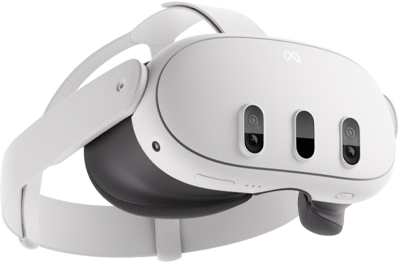 Quest
Quest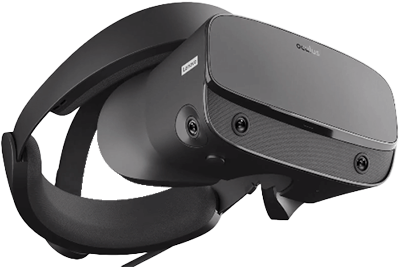 Rift
Rift








 28人
28人